

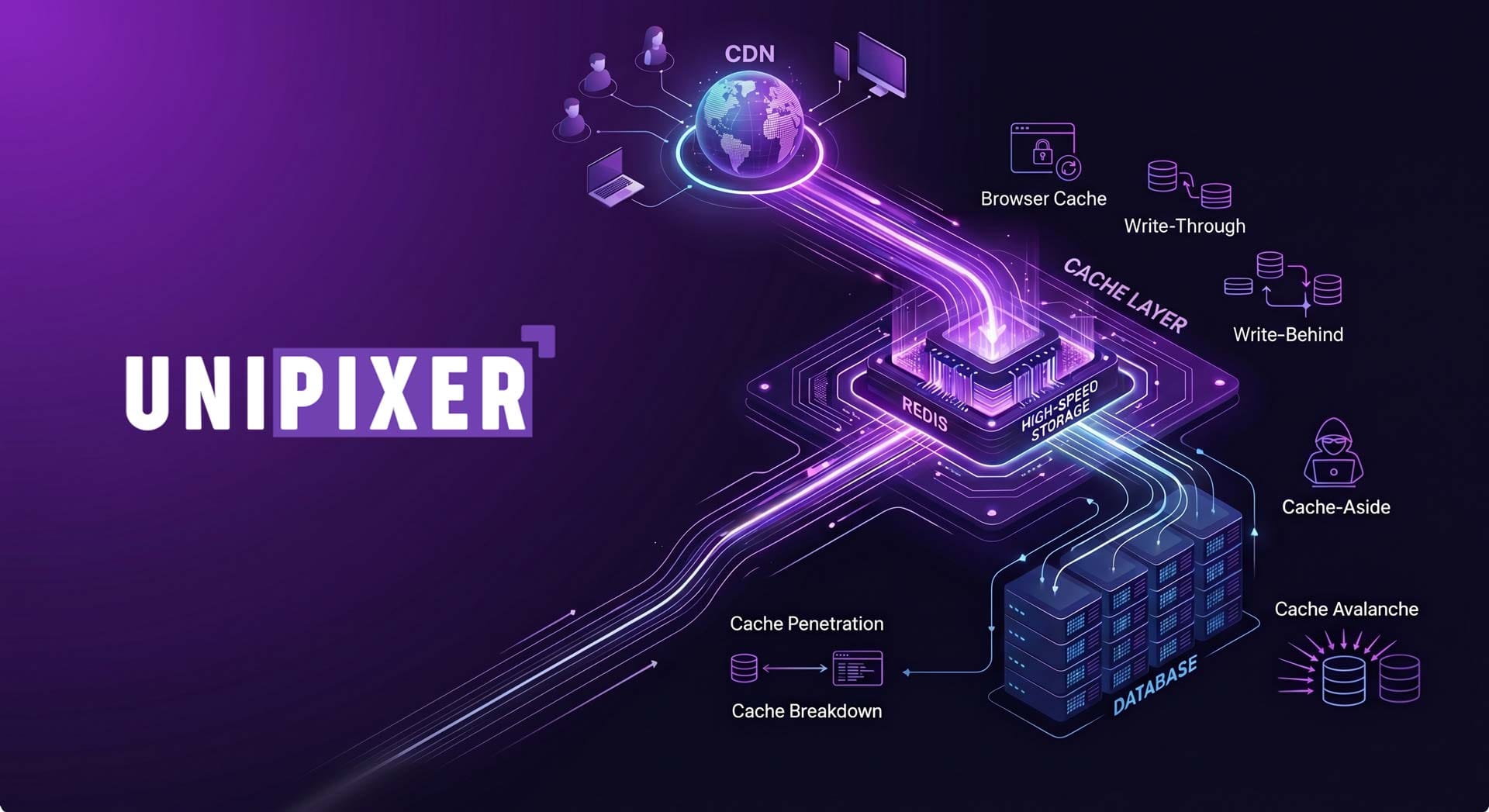
If there is one universal truth in software engineering, it is this: users hate waiting. Whether you are building a simple portfolio or a massive e-commerce platform, speed is the ultimate feature. To achieve that speed, we rely on one of the most powerful concepts in computer science: Caching.
In this guide, we will break down everything from the absolute basics of caching to the system design nightmares that keep senior engineers awake at night.
The Core Concept
Imagine you are studying in a massive library. You need a specific reference book.
You get up, walk across the building, find the book, and bring it back. This takes time.
After reading, instead of putting it back on the shelf, you leave it on your desk.
The next time you need that information, you grab it right off your desk. Zero walking. Instant access.
In software, your desk is the cache. It is a temporary, high-speed storage layer. Instead of asking the main database (the library shelves) for the same data repeatedly, we store a copy in the cache.
The Two States of Caching:
Code snippet
sequenceDiagram
participant User
participant Cache
participant Database
User->>Cache: 1. Requests Data
alt Cache Hit
Cache-->>User: 2. Returns Data (Instant!)
else Cache Miss
Cache->>Database: 2. Data missing, fetches from DB
Database-->>Cache: 3. Returns Data to Cache
Cache-->>User: 4. Delivers Data & Saves a copy
end
Cache Hit: The user requests data, and it is already sitting in the cache. The server delivers it instantly.
Cache Miss: The data isn't in the cache. The server has to fetch it from the main database, deliver it to the user, and then save a copy in the cache for the next person.
Where Does Cache Live?
In a modern web application, caching doesn't just happen in one place. It happens at three distinct layers:
Browser Cache: The user's browser saves heavy static assets like logos, CSS, and JavaScript files locally. On their next visit, the site loads in the blink of an eye.
CDN (Content Delivery Network): If your main server is in New York, a user in Bangladesh will experience latency. CDNs are distributed networks of servers worldwide that cache a copy of your site physically closer to the user.
Server-Side Cache: This is where backend developers spend their time. Fetching complex queries from a database takes time. We use in-memory stores (like Redis) right next to the server to hold frequently requested data.
The Hardest Problem in Computer Science
There is a famous saying: "There are only two hard things in Computer Science: cache invalidation and naming things."
Cache Invalidation is the art of removing old, outdated data. Imagine your e-commerce site has a shirt priced at $50. That price is cached. Later, you run a sale and update the database price to $40. If you forget to tell the cache to update, users will still see $50. This incorrect, outdated information is called Stale Data.
Caching Strategies (The Read & Write Patterns)
How exactly do the application, the cache, and the database talk to each other? Let's look at the standard patterns.
The Read Strategies The most common pattern is Cache-Aside (Lazy Loading). The application asks the cache for data. If it's a miss, the application fetches it from the database itself, and then saves it to the cache.
Code snippet
flowchart LR
A[Application] -->|1. Check Cache| B[(Cache)]
A -->|2. Fetch if Miss| C[(Database)]
C -->|3. Return Data| A
A -->|4. Save to Cache| B
The Write Strategies When a user updates their profile, how do we save it?
Code snippet
flowchart TD
subgraph Write-Through
direction LR
App1[Application] -->|Saves Simultaneously| Cache1[(Cache)]
App1 -->|Saves Simultaneously| DB1[(Database)]
end
subgraph Write-Behind
direction LR
App2[Application] -->|1. Fast Save| Cache2[(Cache)]
Cache2 -.->|2. Background Sync| DB2[(Database)]
end
Write-Through: The data is saved to the cache and the database at the exact same time. It's safe, but writing to two places makes it slightly slower.
Write-Behind (Write-Back): The data is saved only to the cache, giving the user an instant "Success" message. In the background, the cache slowly syncs the data to the database. It is blindingly fast, but dangerous—if the cache crashes before syncing, data is lost.

In the rapidly evolving landscape of digital education, choosing the right Learning Management System (LMS) is crucial for any educational institution, from K-12 schools to large universities. The core of an effective LMS lies not just in its feature set, but crucially in its underlying architecture. A robust and scalable LMS architecture ensures that the platform can handle growing numbers of users, provide a seamless user experience, and support various learning models and technologies.
Understanding LMS architecture involves grasping the fundamental structure and components that enable the system to function effectively. The right architecture can make or break your institution's e-learning initiatives.

Technology is the link between continents in the hyperconnected economy of today. We at Unipixer think that innovation ought to be unrestricted. For us, reaching the milestone of serving clients in more than 18 countries is more than simply a statistic; it is evidence of the confidence that companies all over the world have in our integrated technology solutions.
However, what is really required to maintain a worldwide network? And how can integrated solutions alter the landscape for companies in Europe, Asia, and other regions?

Cyber attacks are growing more sophisticated every day.But what exactly is cybersecurity? And why is it so crucial for businesses and for your future career .
Cybersecurity is the practice of protecting systems, networks, and data from digital attacks. These attacks aim to access, change, or destroy sensitive information, or interrupt normal operation.
Cybersecurity revolves around three core goals,
Prevention, Stopping unauthorized access or breaches before they happen.
Detection, identifying threats and vulnerabilities in real time.
Response, taking action quickly when security incidents occur.
In short, cybersecurity is about protecting digital life on both the personal and professional level.
- 1